
Smart Check
Find the NC lines that need attention
See the line number, reason, and severity of a flagged result.

Results depend on the program and configuration; machine-side checks remain necessary.
CNC TECHNICAL ASSISTANT
For CNC operators, CAM programmers and manufacturing engineers.
See how each tool helps you prepare for machining, with examples from NC programs and STEP models.
Find the NC lines that need attention
See the line number, reason, and severity of a flagged result.
Results depend on the program and configuration; machine-side checks remain necessary.
In this synthetic FANUC file, Smart Check flagged a tool length offset mismatch on line 7, a tool/cycle mismatch on line 8 and missing coolant on line 10. Results image in Vietnamese. This file is for software review only.

Review the NC file before it goes to the machine
Open and inspect the program before checking it against the actual setup.
Open the user guideVerify the program against the actual machine.
See the path programmed in the NC file
Backplot the supported NC motion interpreted from the file.
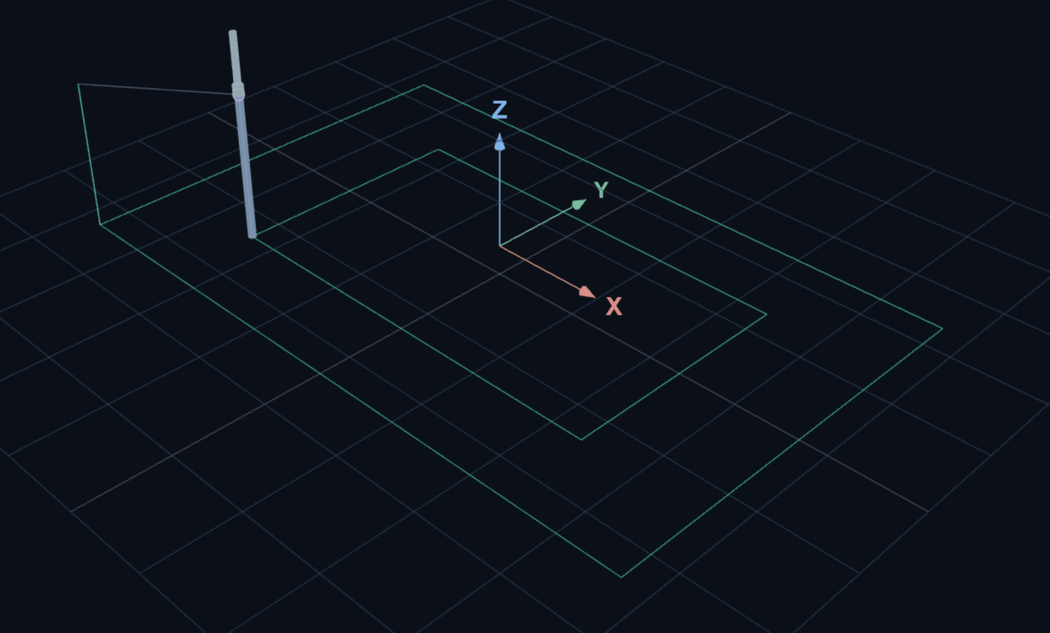
The sample is PARTIAL: not all of its toolpath is interpreted; it does not replace machine-side checks.
Prepare settings for the actual CNC machine
Set up tool changes, work offsets, cycles, and coolant commands for the machine in use.
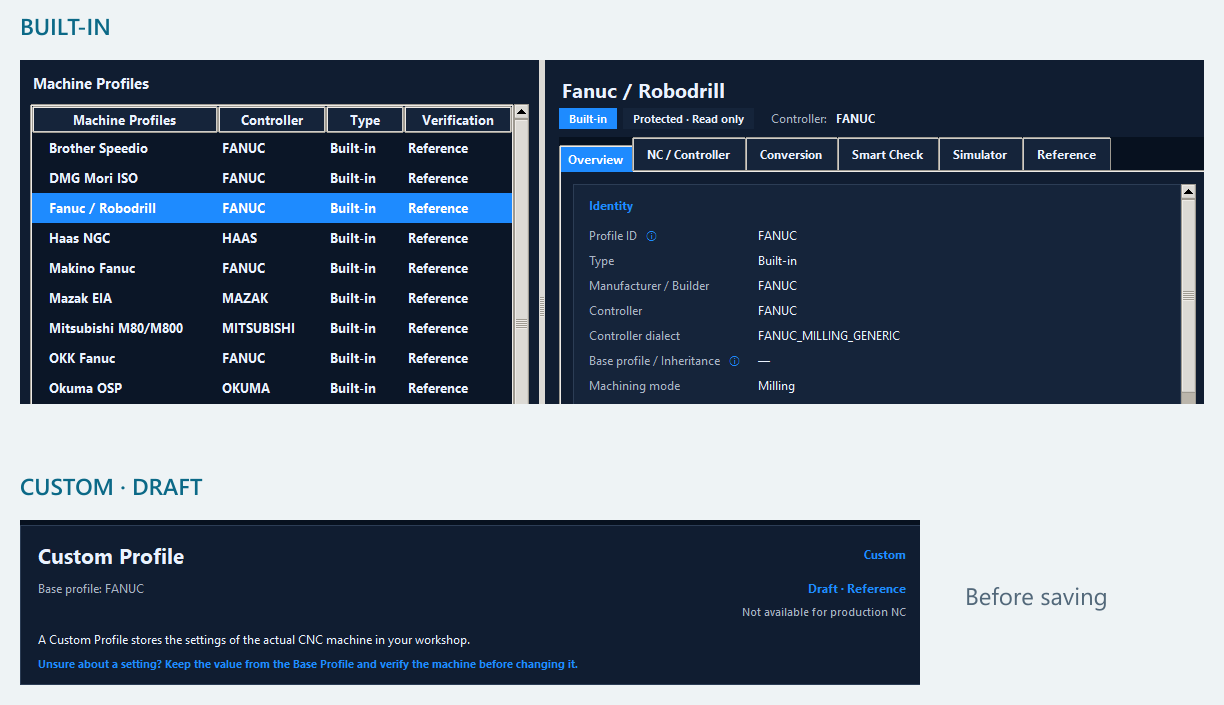
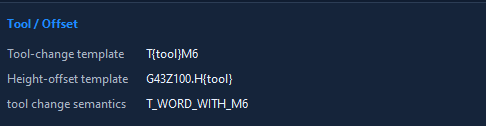
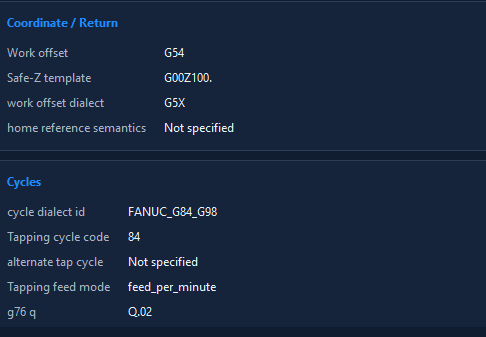
Custom profiles are drafts; check every setting against the actual machine.
Prepare the program for a target controller
Convert G-code with the applicable profiles and review the output.

G90 G40 G80 (G21 G94 ARE COMMENT TEXT)G00G40G80G90G98 G81 X10 Y10 Z-2 R2 F100G0G90X10Y10 / G98G81G60Z-2R2F100Limited to supported profiles; review the output and check against the machine.
Measure directly on a STEP model
Select an edge and read its dimension during setup prep.

The example does not establish support for every model or measurement.
Hand off the job from CAM to the shop floor
Prepare a PDF job sheet to review, print, and hand over.
Open the user guide
Check its information against the actual setup.
Look up machining values during setup
Check tolerances and fits, or calculate cutting speed and feed.
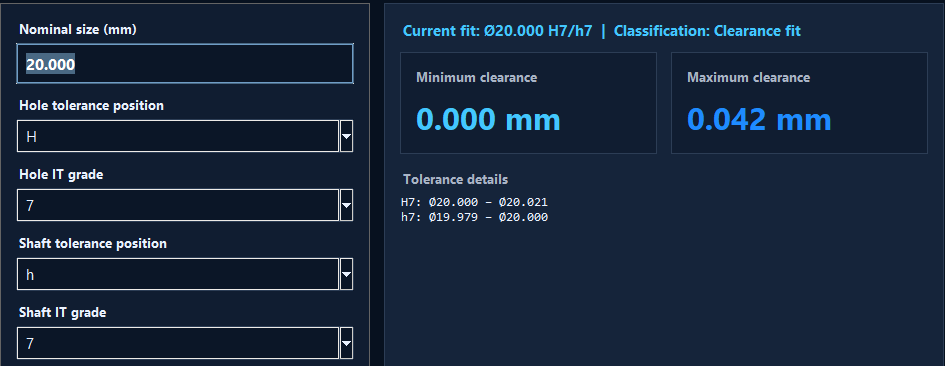
Check results for the job.
Put together a shop estimate
Use the experimental estimator to prepare inputs. The shop sets the quote.
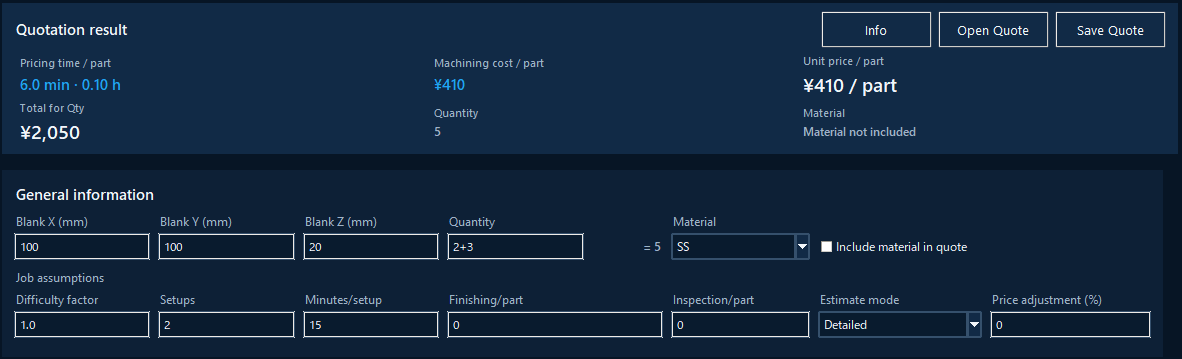
Experimental; users must review and decide the quotation.
Keep using CAM to program. Confirm the program, tools, stock and fixture at the machine before machining.
Windows x64 · Free edition available